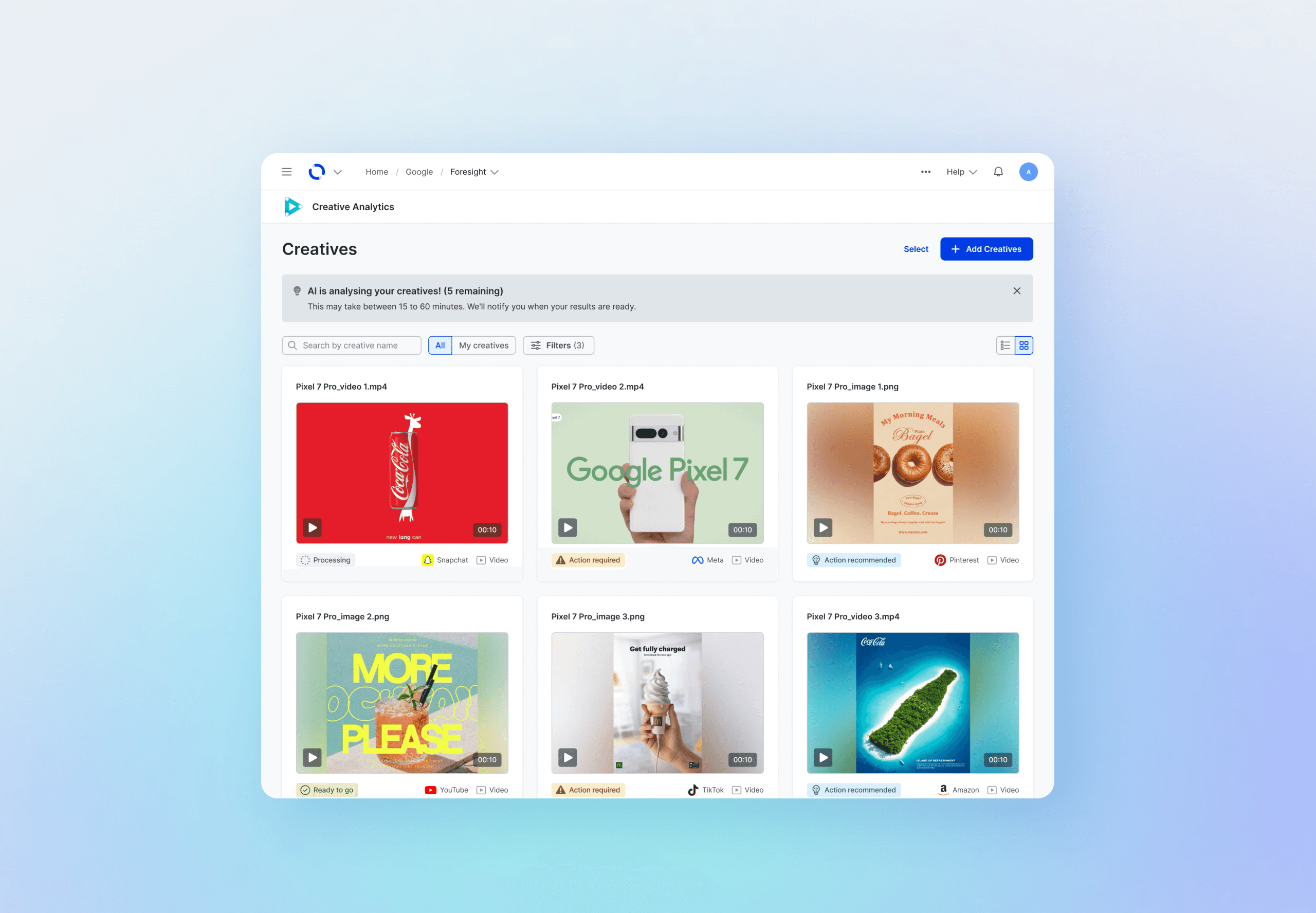
Creative Analytics: Building a validation tool for ad campaigns (MVP)
Period
2024. 11 - 2025. 06
Company
Choreograph (WPP Media)
Role
Product Designer
Project Overview
Building an early quality-check tool to catch ad issues before launch
Creative Analytics is a new internal tool designed to fit into an existing ad workflow used by multiple teams.
It helps teams check ad creatives early — before launch — so platform issues can be caught before they cause delays.
My contribution
As a product designer, I was responsible for end-to-end UX design, collaborating with PMs, engineers, QA, and external stakeholders.
Problem
Ad issues found too late — causing delays, rework, and unclear ownership
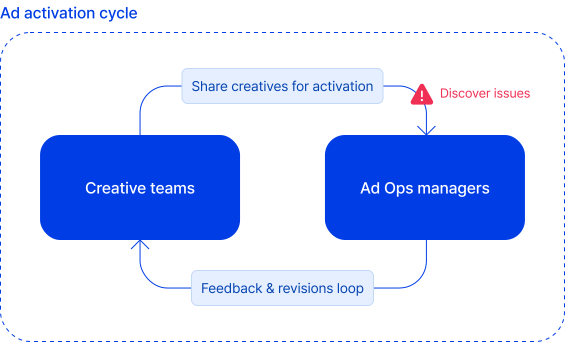
Teams involved in launching ads often discover problems right before campaigns are scheduled to go live. Because there is no simple way to check *creatives (ad images and videos) early, issues are only caught during the final review stage — leaving no time for clean fixes.
Ad platforms like Meta and Google have strict requirements for file size, format, and content. When creatives don't meet these rules, campaigns can't go live causing last-minute fixes, repeated revisions, and unclear ownership between teams.
Problems
Last-minute decisions
Repeated revisions
Unclear responsibility across teams
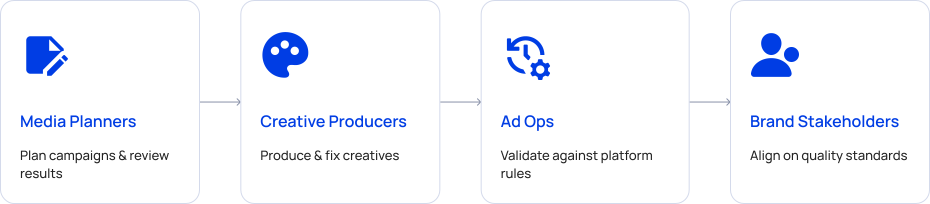
Understanding user roles
Multiple teams are involved in creating and launching ads.
Each role interacts with creatives at a different stage, and each experiences the impact of late-discovered issues differently.
What we can do:
Provides a shared pre-flight space where all roles can review creatives together
Helps ensure every creative meets brand and platform requirements before launch
Solution
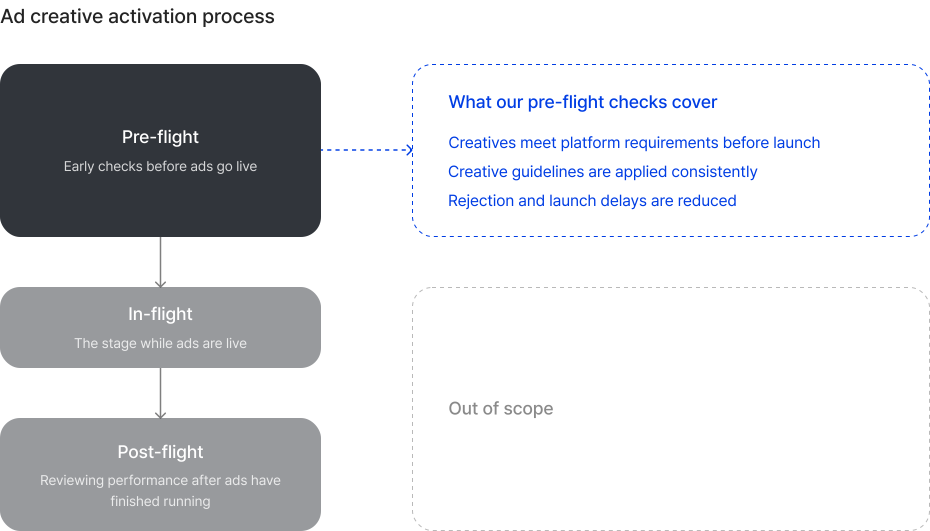
We designed a tool that allows teams to upload ad creatives and check them early—before launch—against platform guidelines.
This early validation step helps teams catch issues sooner, align more easily, and move into activation with confidence.
Design Process
I reviewed existing workflows and spoke with people who manage ad creatives on a daily basis.
This helped me understand where confusion, manual work, and last-minute issues were happening.
This project was my first time applying a new design system across a full product workflow.
Beyond assembling components, I focused on using patterns intentionally to support clear behaviors and scalability.
I explored multiple workflow directions, testing different layouts and interactions to reduce friction in complex tasks collaborating with team members.
We ran feedback sessions with day-to-day users to validate key decisions and refine interactions before implementation.
Challenges & Limitations
Key design decisions
As a new product with no prior reference, every design decision required deliberation from scratch. Below are examples of how we worked through a core UX challenge during the pre-launch phase.
Upload process
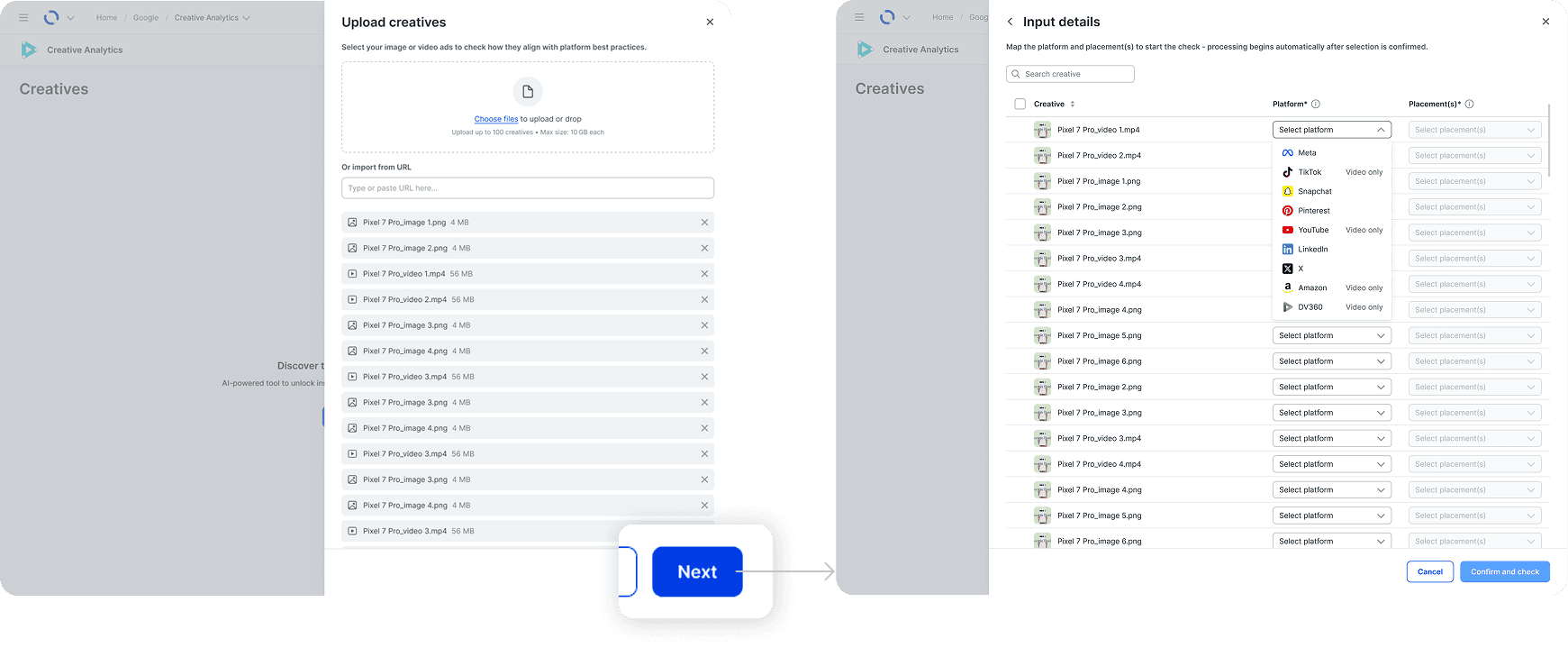
The initial flow moved users between pages, which felt disruptive and broke the sense of progress. By keeping the entire upload and mapping process inside a side panel, users could complete the task in one continuous flow without losing context.
Option A: Page navigation
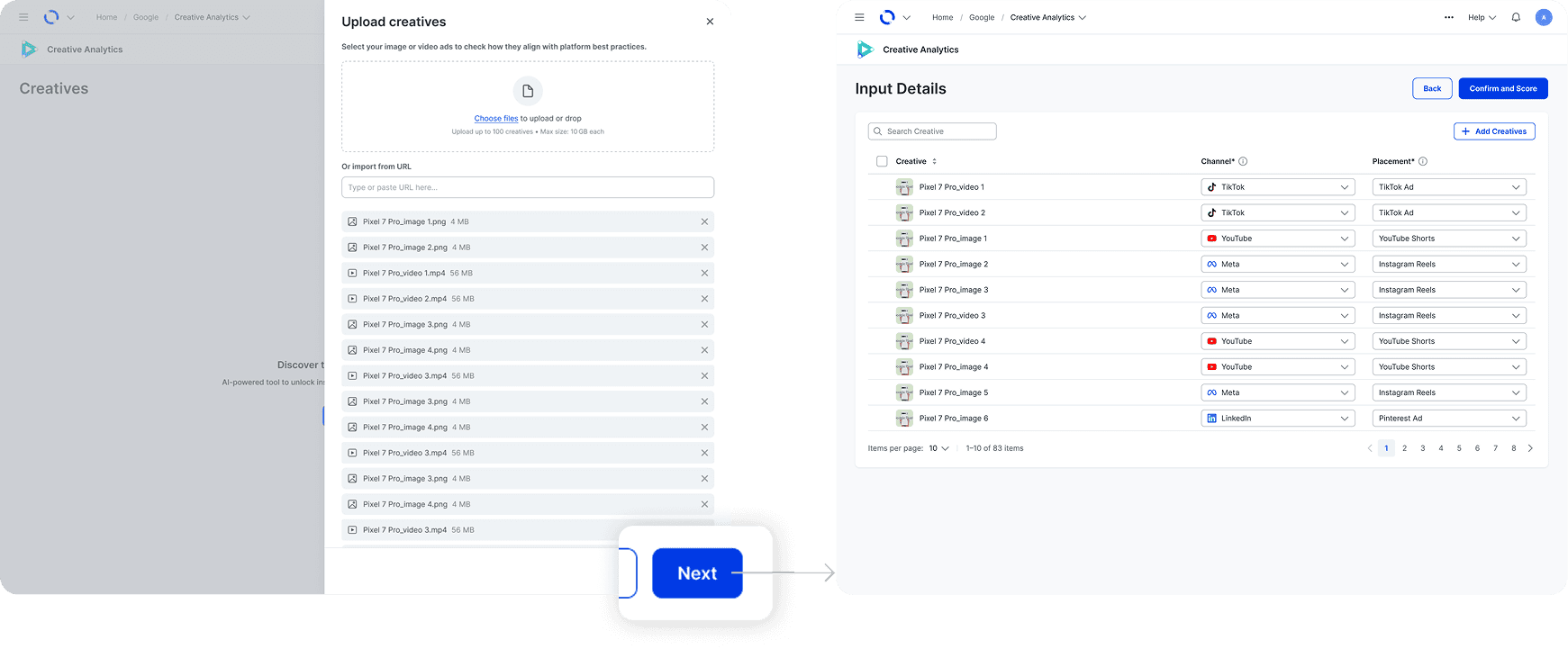
Option A: Page navigation
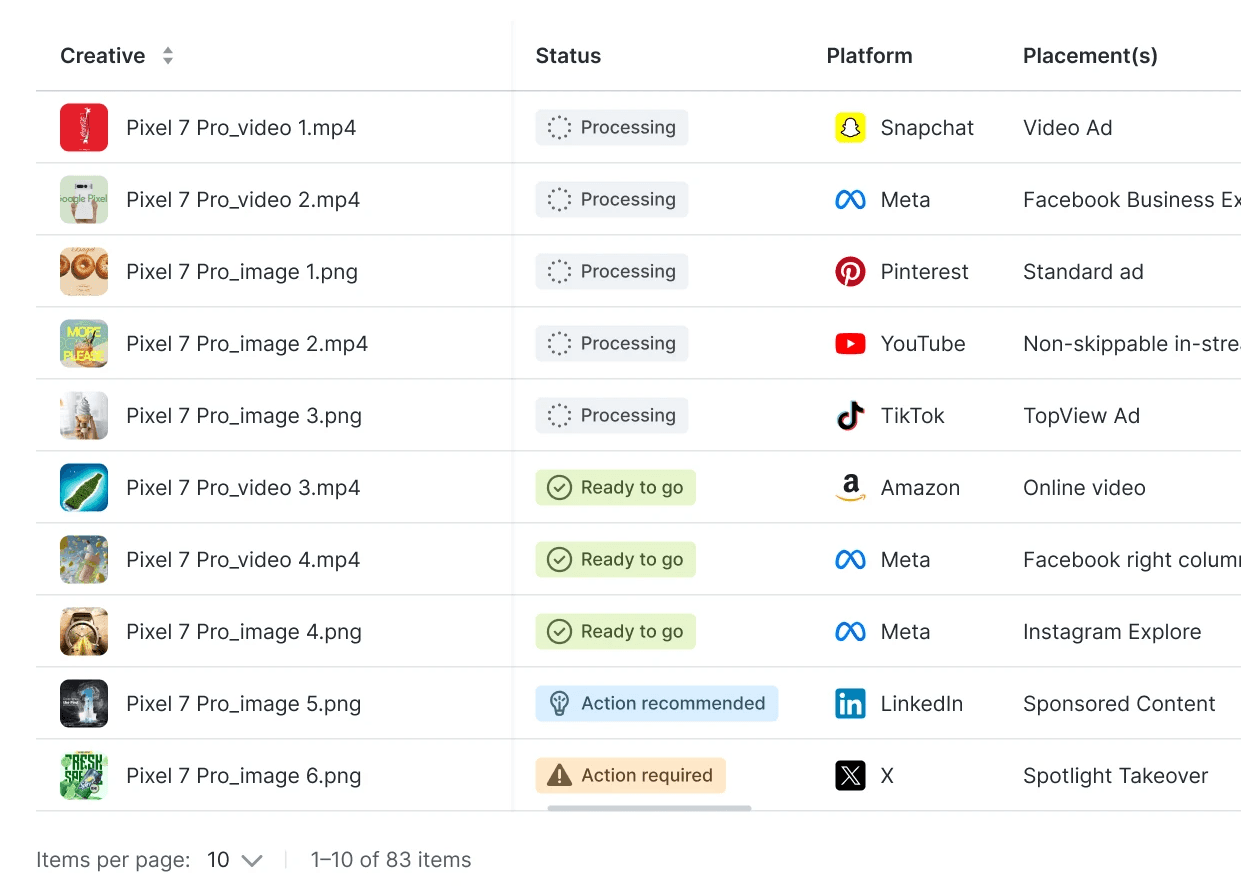
Status tags on dashboard
The design system provided only a limited set of colors, making it difficult to represent multiple creative statuses clearly.
To avoid confusion, I combined simple icons with short, precise labels, so each status could be understood at a glance without overwhelming the dashboard.
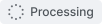
Creative is being analyzed

Creative passed all criteria

Creative passed only essential criteria

Creative did not pass essential criteria

Creative cannot be processed due to back end issues
Final Outcome (MVP)
We launched the MVP of Creative Analytics after 6 months.
The tool enables users to validate ad creatives easily before campaign activation.
1. Upload & Map Creative Assets
Users can click “Add creatives” to open a side panel.
After uploading files in bulk, they can map each creative to the platform and placement that they wish to check through, with the ability to edit in bulk.

2. Dashboard Overview
The dashboard provides a clear overview of all creatives
and their validation status in one place.
To support different review needs, we designed two complementary views:
Table view: Scan detailed information across many creatives at once
Grid view: Quickly review visuals and status at a glance

3. Creative Detail View
Each creative has a detailed view showing how it performs against platform guidelines across different placements.
Clear visual indicators highlight what needs attention and what has already passed, allowing users to act without digging through details.

4. Download Report
Users can export a PDF summary of validation results for a single creative.
This makes it easy to share review outcomes, or provide clear proof that a creative was checked before launch.

Results & Impact
By mid-2025, Creative Analytics was fully launched and adopted by multiple global teams.
It's been selected as a hero product for reviewing ad creatives before campaigns go live.
Supports large-scale advertising operations
Trusted by 300+ experts across global teams
Feedback
"Excellent - Iʼm very confident we can get a lot of use out of the tool."
UK/Manchester Paid Social (Main Client: 3M)
"Product looks very handy. Especially for smaller clients without a creative agency."
Wavemaker UK team
What could be improved
Next steps
Improve user tracking to better understand friction points in the workflow
Expand platform coverage to additional channels (TikTok, YouTube, etc.)
Introduce advanced features such as carousel type of creatives, safe-zone and richer recommendations
Takeaway
End-to-end design ownership
This project allowed me to take ownership of the entire design process: from defining the problem to delivering high-fidelity workflows.
I explored multiple design directions, refined details that affect real user interactions, and collaborated closely with cross-functional teams to ensure alignment and product feasibility.
Adapting to a new design system
It was my first time applying the WPP Open Design System in a full product workflow.
While it was initially challenging to understand the components and intended interaction patterns, it strengthened my ability to design with consistency, scalability, and system thinking across multiple products.
Importance of a well-structured research process
Due to a tight timeline, much of the design work progressed without a fully structured research cycle.
It highlighted the need for continuous validation with day-to-day users, and I’d like to improve future processes by incorporating earlier and more frequent user insights.